Events
An event is a day, or several, broken into shifts that people sign up to. You get a roster, automatic reminders, and a record of what each volunteer told you.
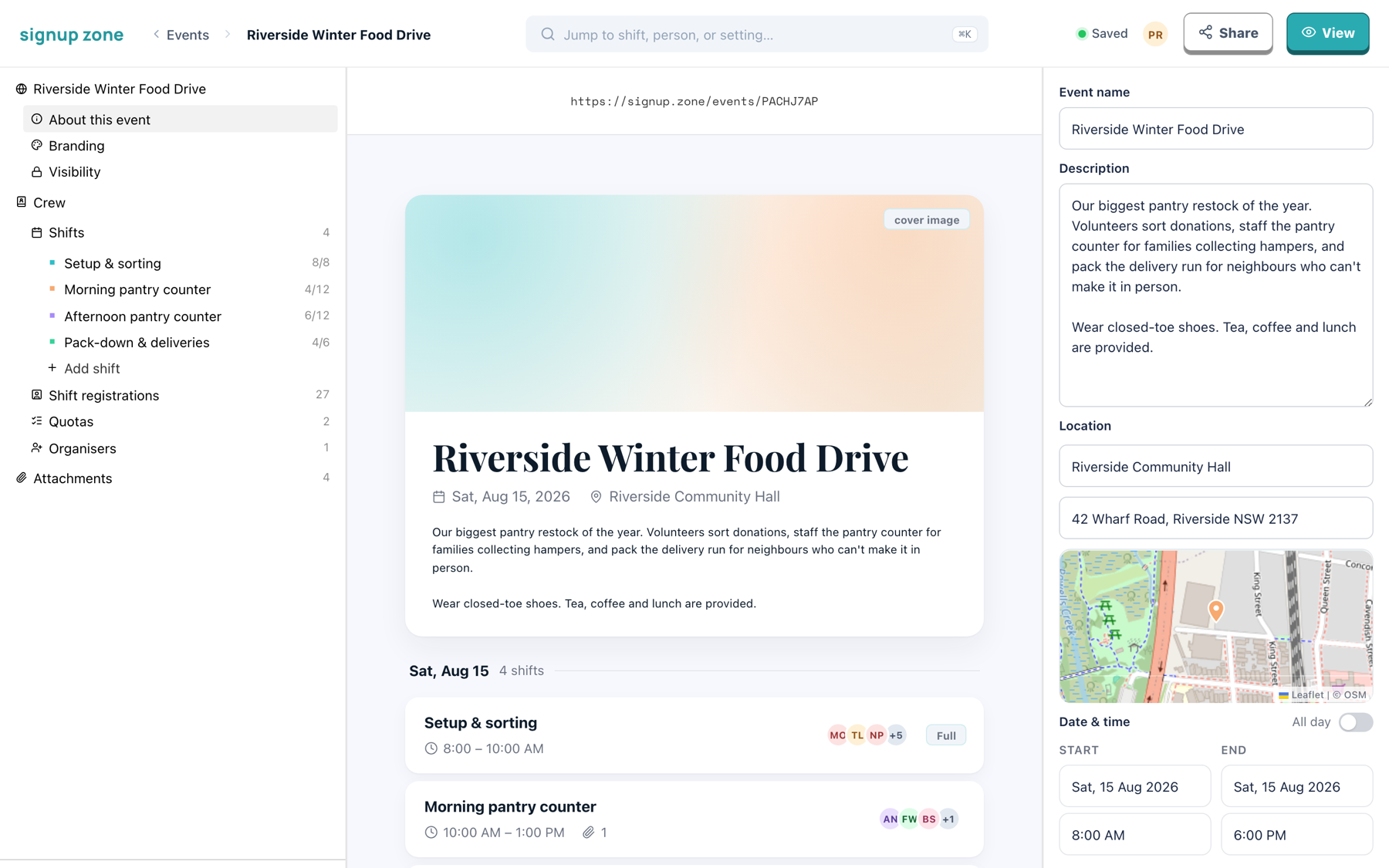
The editor has three columns:
- Left — the event's sections and its shifts
- Middle — a live preview of the public page
- Right — settings for the selected item
This is the same event as volunteers see it:
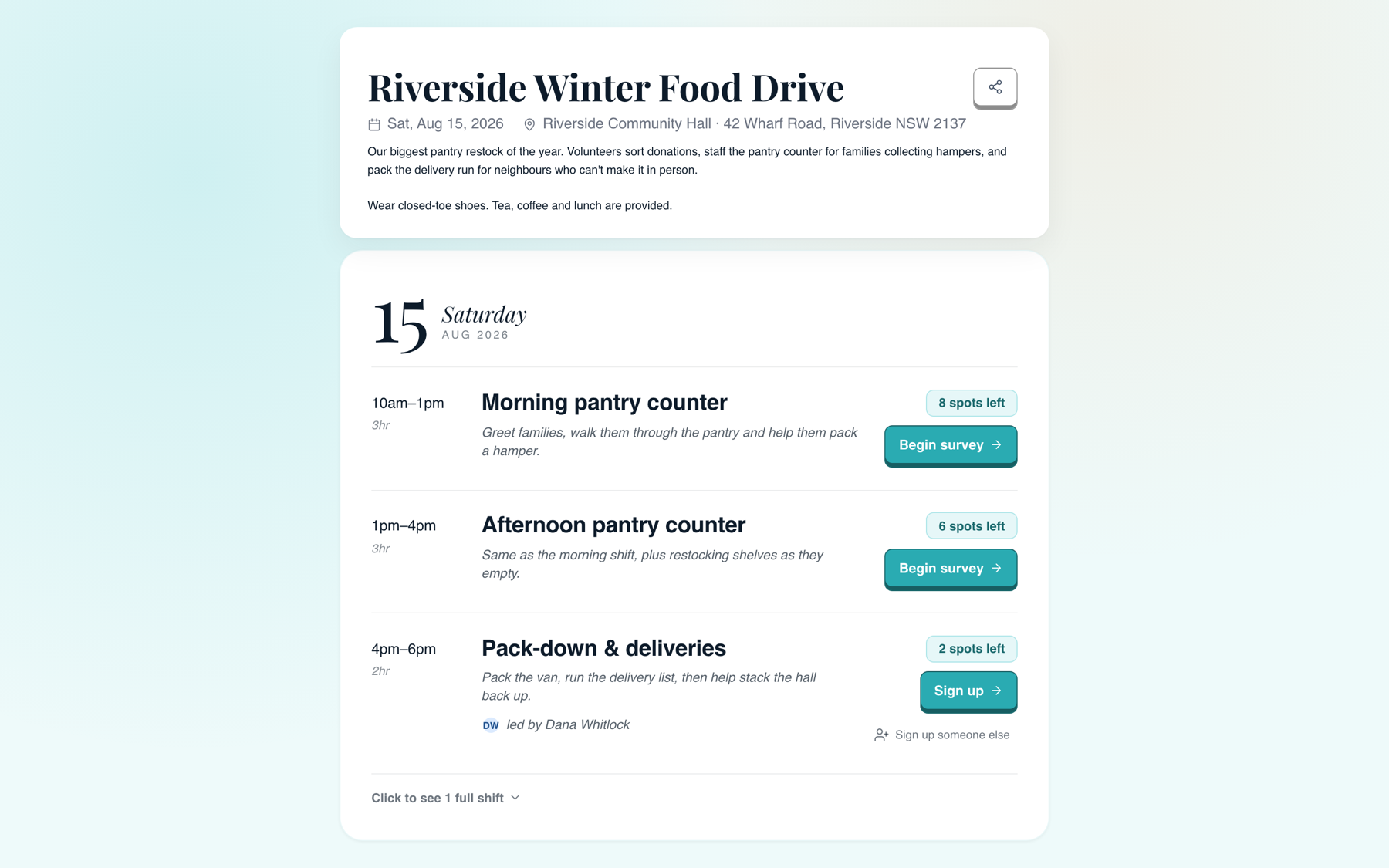
Full shifts are collapsed behind a Click to see 1 full shift toggle.
Setting up
Work in this order, because later steps depend on earlier ones.
- Event basics — name, description, dates and timezone. Set the timezone before building shifts.
- Branding — cover image, logo, theme and custom URL. Set the URL before sharing.
- Visibility & access — public, invite code, organisation-only, and password.
- Building shifts — times, capacity, waitlists, notes, reminders and surveys.
- Quotas — counted lists volunteers claim from.
- Organisers — invite co-organisers.
- Attachments — files and links for the event or a single shift.
Running the event
- Managing registrations — statuses, filters, survey answers, CSV export and emailing volunteers
- Working together — autosave, presence and shift locking
- Command palette — ⌘K to jump to any shift, person or setting
- Event lifecycle — publishing, sharing, QR codes, archiving and deleting