Branding and sharing
Sharing the link
- Share in the top bar of the editor copies the survey's link. On a phone it opens the share sheet instead.
- View opens the survey as respondents see it.
Anyone with the link can answer. People who are not signed in are asked to Sign in or Continue as guest.
Each person has one response. Answering again replaces their earlier answers.
Branding
Click Branding in the left nav.
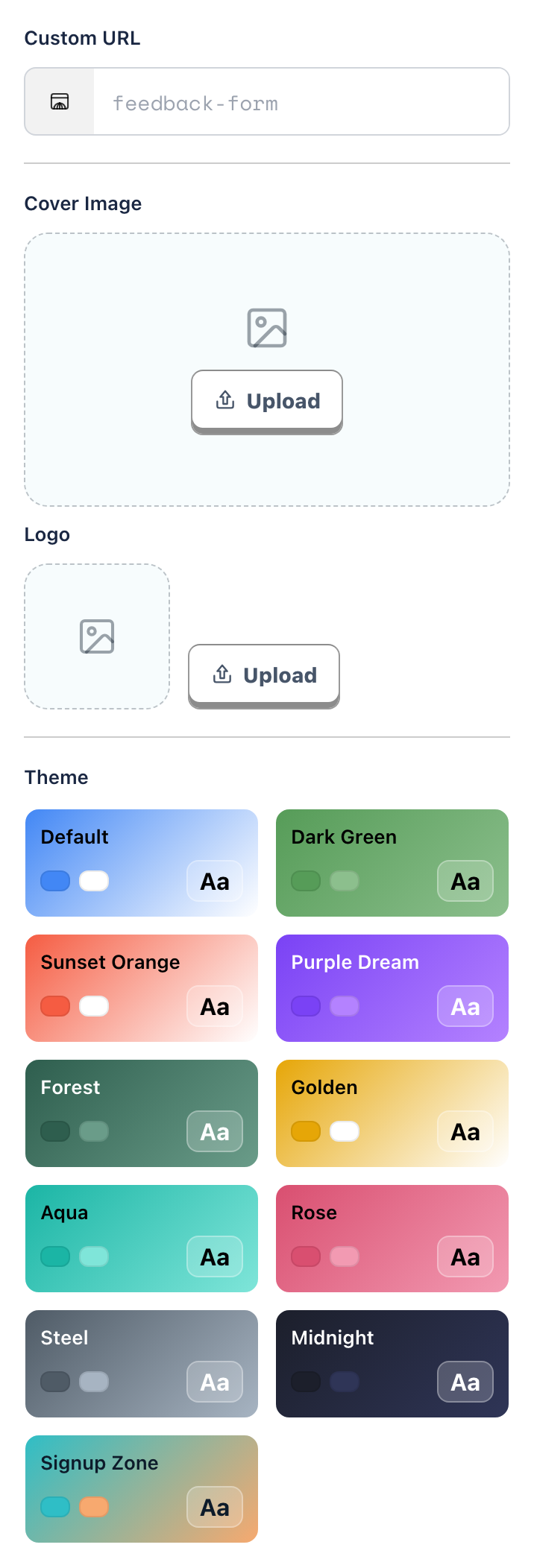
- Custom URL — a short address of your own, such as
signup.zone/lunch-and-travel. Available on Basic and Professional. - Cover Image — a wide banner at the top of the first page. Available on Basic and Professional.
- Logo — a square image in the page header, on every page. Available on Basic and Professional.
- Theme — the colours of the survey page. Click a theme to apply it. Available on Professional.
Custom URLs count towards the same limit as your events' and signups' custom URLs.
On the free plan, the survey page shows a small Powered by Signup Zone link at the bottom. Basic and Professional remove it.
If your plan changes, branding it no longer includes stops showing. It comes back as it was if you upgrade again.